
Expert Support
Available 24/7 via chat
Available 24/7 via chat

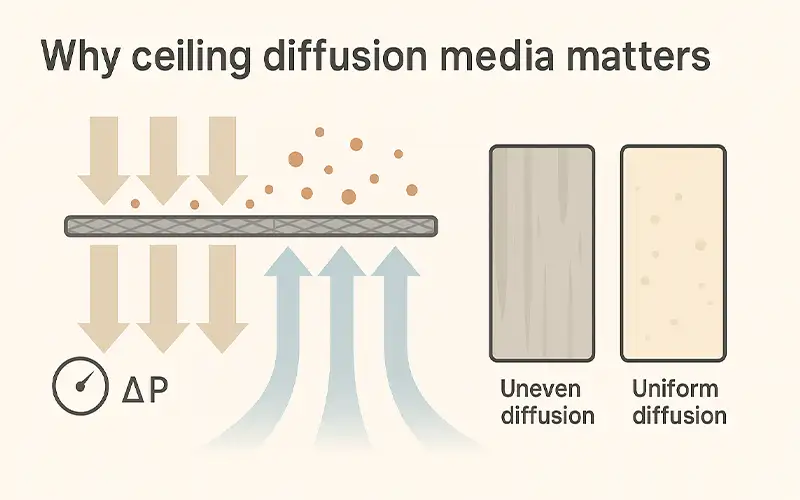
Ceiling diffusion media turns the plenum’s few high-velocity jets into an even, low-turbulence sheet of air, while also trapping fine debris that prefilters miss.
This improves finish quality, keeps vapors moving to the exhaust, and helps the fan meet target flow at a lower pressure drop.
Minimum ventilation and indicators for spray finishing are required under OSHA 1910.107, and overspray/airflow control fundamentals are outlined by NIOSH hazard controls.
Diffusion pads (or panel cassettes) do two jobs: they diffuse the ceiling airstream for uniform velocity across the work envelope and capture particles that would otherwise seed defects.
Poorly maintained filters restrict flow, allow recirculation pockets, and can even raise fire risk—issues highlighted in the EPA’s spray-booth guidance and NESHAP resources (EPA spray booth filters, EPA 6H overview).
Sagging pads, edge bypass, or exceeded change points create “fast” and “slow” lanes in the ceiling flow. Fast lanes drive dust onto wet film; slow zones let particles settle—both show up as dirt nibs that trigger denibbing, polishing, or resprays.
As resistance rises, fans work harder (more amps, more noise) yet capture worsens. OSHA’s spray-operations pages stress adequate mechanical ventilation and effective controls, while NIOSH documents link maintenance lapses to higher exposure and quality problems (OSHA spray operations standards, NIOSH engineering controls overview).
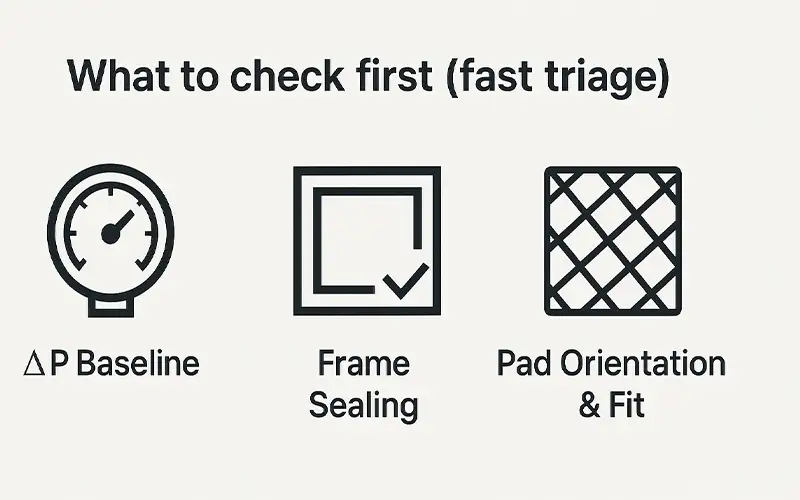
Zero the gauge with fans off, then run the booth and compare today’s static pressure to your recorded clean baseline and change threshold. If you don’t have them, log a clean reading with new media and set change at roughly +30–50% over baseline.
Spray-finishing ventilation indicators and acceptable practices are outlined in OSHA 1910.107 and reinforced in NIOSH spray painting hazard controls.
Quick tip: mark both thresholds on the manometer for at-a-glance checks.
Inspect every panel edge: gaps, loose clips, lifted tape, crushed or missing gaskets. Edge bypass creates streaky ceiling velocity and dust trails even when ΔP looks normal.
Use a smoke pencil along the perimeter; reseal and replace gaskets where compression is uneven. See maintenance guidance themes in NIOSH spray painting hazard controls.
Confirm the correct face toward the plenum (follow arrows), no sag or bowing, and tight, taped seams so the surface acts as a uniform diffuser.
Misorientation or slack pads raise resistance, push fans harder, and elevate defect risk. Ventilation adequacy expectations appear in OSHA 1910.107.
After adjustments, recheck ΔP and do a quick smoke test to verify even draw.
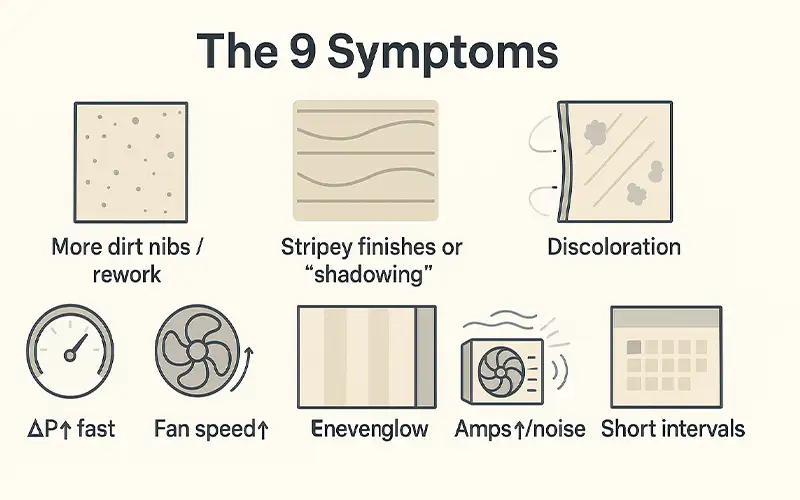
What you see → tiny bumps in clear/colour, more denib-polish cycles
Likely causes → loaded diffusion media, upstream intake leaks, poor sealing
First fixes → verify ΔP vs baseline; inspect/tighten edges and gaskets; replace pads
What you see → visible bands or dull “shadows” across panels
Likely causes → non-uniform diffusion, sagging/misoriented panels, plenum maldistribution
First fixes → reseat pads with correct face; tighten seams; check plenum baffles/obstructions
What you see → pressure drop climbs well before normal change interval
Likely causes → missed/overdue prefilters, unusual dust load, contaminated plenum
First fixes → change prefilters; clean plenum; document new ΔP baseline after pad change
What you see → VFD or fan damper pushing harder than normal
Likely causes → high resistance from clogged media, crushed duct/blocked grille
First fixes → change diffusion pads; inspect duct runs and ceiling grille free area
What you see → dark patches, uneven loading patterns
Likely causes → localized bypass at frames, lifted tape seams, missing gaskets
First fixes → reseal frames; replace or add gasket; retape seams and recheck with smoke
What you see → fine trails on ceiling/walls near panel perimeters
Likely causes → edge bypass, loose clips, poor compression
First fixes → add/compress clips; replace gasket; verify snug, continuous contact
What you see → some ceiling zones glow brighter or look “open”
Likely causes → missing/sagging pads, mixed thicknesses, gaps at seams
First fixes → refit panels; add cross-bracing if needed; match pad grade and thickness
What you see → fan amps and noise up; hiss or turbulence increases
Likely causes → clogged or unevenly seated media creating turbulence
First fixes → replace pads; verify uniform seating and orientation; confirm target velocity
What you see → pads hit “change” ΔP much sooner than before
Likely causes → wrong media grade, seasonal/environment shift, upstream controls changed
First fixes → revisit media spec (efficiency vs ΔP); add/upgrade prefilter stage; reset maintenance schedule
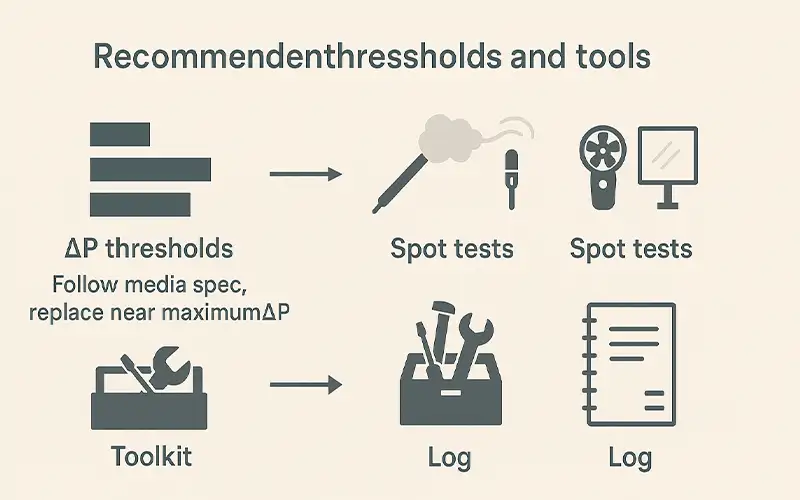
Set a clean-baseline with brand-new pads and fans at your normal operating speed. Replace diffusion media at the manufacturer’s maximum pressure drop or when ΔP rises about 30–50% over your clean-baseline, whichever comes first. Re-zero the gauge with fans off before each reading. After replacement, record the new clean ΔP and date.
• Fans at standard setpoint, dampers as used in production
• Doors closed; read ΔP at steady state (60–120 seconds)
• Log: date, media lot/grade, ΔP clean, ambient temp, booth mode
Use quick, low-cost checks between scheduled changeouts.
• Hold 150–300 mm below the ceiling grid and move across panel seams
• Look for jetting or back-eddies that indicate bypass or blockages
• If streaks appear, reseat pads, retape seams, and recheck ΔP
• Create a simple 3×3 or 5×5 measurement grid across the vehicle envelope
• Aim for ceiling velocity uniformity within ±15–20% of the mean
• Outliers suggest sagging media, mixed pad grades, or plenum maldistribution
• Stand at two diagonals and compare panel “glow” uniformity
• Hot/bright zones or visible dips indicate missing, loose, or bowed pads
• Add cross-bracing, correct pad orientation, and retape seams
• Differential pressure gauge or inclined manometer with clear “clean/change” marks
• Smoke pencil or safe theatrical fogger for qualitative flow
• Hot-wire or vane anemometer for velocity spot checks
• Flashlight/headlamp and straightedge for pad flatness inspection
• Tape, gaskets, compression clips, and alcohol wipes for quick sealing fixes
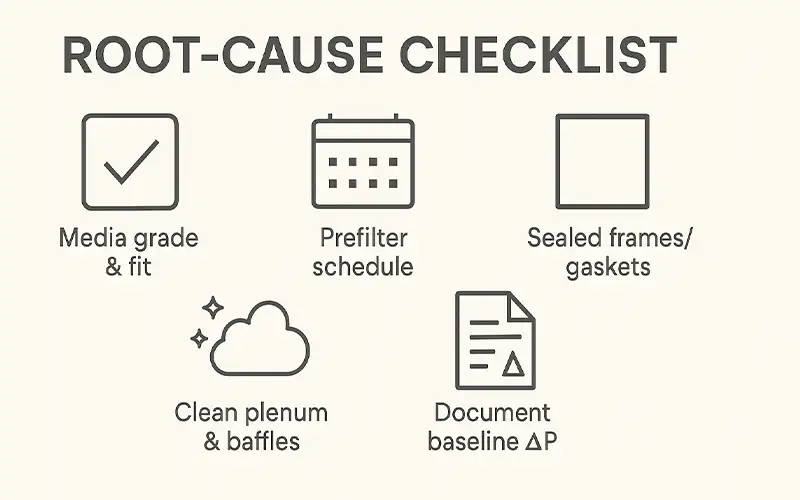
Log ΔP, velocity mean/variation, and any fixes performed. A simple sheet or spreadsheet lets you spot drift (e.g., faster ΔP rise after seasonal dust changes) and adjust prefilter schedules before finish quality suffers.
Use the specified MERV or ePM class for your booth type and finish target. Match pad thickness and density across all panels, cut to the exact frame size, and tension pads so the surface stays flat without bowing or ripples.
Set change intervals for prefilters based on actual dust and overspray load, not just calendar time. If ΔP at the diffusion stage rises faster than normal, shorten the prefilter cycle or step up one grade. Log prefilter swaps so you can correlate them to ΔP trends.
Inspect frame corners, clips, and compression. Replace crushed or missing gaskets and retape any lifted seams. Avoid mixing pad lots or grades in the same ceiling, which creates non-uniform resistance and streaky airflow.
Vacuum or wipe the plenum when pads are out. Confirm that baffles or perforated plates are intact and evenly distributing flow. Remove any plastic wrap, old tape, or debris that can create jetting or dead zones.
Record clean-baseline ΔP after every change, the manufacturer’s change threshold, the date, media lot, booth mode, and ambient conditions. Track booth hours and jobs between changes so you can spot seasonal shifts, process changes, or supply issues before quality slips.
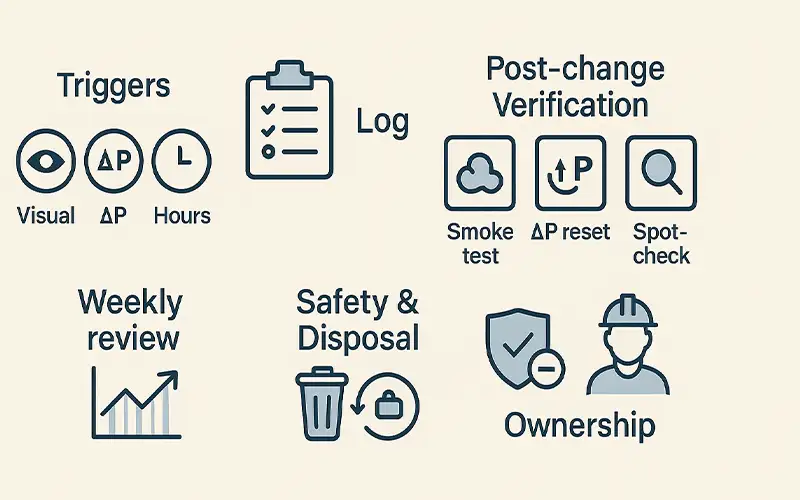
Use three simple triggers together for reliability:
• Visual: pads show discoloration, sag, lifted seams, or blotchy loading
• ΔP: reaches the manufacturer’s max or rises ~30–50% over your clean baseline
• Hours: maximum run-hours since last change (based on your historical average)
If any two triggers hit at once, change now. If only one hits, schedule a near-term inspection and recheck within the shift.
• Date/time, technician initials
• Booth ID, mode (prime/base/clear)
• Media grade/lot installed
• ΔP in (before) at setpoint; ΔP out (after) at same setpoint
• Hours since last change; jobs since last change
• Defects per job and nib count (last 10 jobs)
• Notes: gasket repairs, frame retape, plenum clean, anomalies
Tip: post the current clean-baseline ΔP at the booth. Add a simple chart that shows the change threshold line.
Immediately verify that the new install performs as expected:
• Smoke test: run a quick ceiling sweep for jetting or back-eddies along seams and edges
• ΔP reset: record the new clean-baseline ΔP with doors closed at the normal setpoint
• Uniformity spot-check: take a few anemometer readings across the work envelope (optional but recommended)
• Final seal check: confirm gaskets compress evenly; retape any lifted seam; reseat any panel that bows or rattles
• Scan logs for faster-than-normal ΔP rise or shrinking intervals
• Correlate nib count/defects with diffusion media age
• Adjust prefilter cadence or media grade if changeouts are too frequent
• Lockout/tagout fans as required by your procedure
• Use gloves and masks when handling loaded pads
• Bag used media, label per local rules, and stage in the designated waste area
• Assign a primary and secondary tech per booth
• Train both on gauge zeroing, smoke testing, and the quick seam/gasket repairs
• Review KPIs monthly: average ΔP rise per day, average days between changes, average nibs per job before vs after change
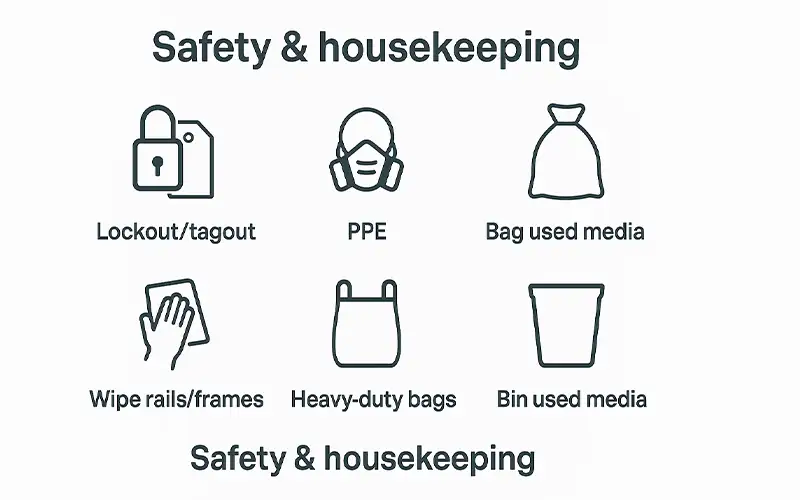
Shut down and lock out fans, burners, and make-up air before opening the ceiling grid. Allow the booth to cool to ambient to avoid heat stress and hot-surface contact. Verify zero energy with a try-start and post a service tag at the control panel.
Wear cut-resistant gloves, sleeves, eye protection, and a suitable respirator when handling loaded pads. Avoid shaking media; lift out slowly to minimize dust release. Keep a spill kit nearby for accidental solvent residue.
Place removed pads directly into heavy-duty bags; expel excess air, tie, and label per local waste rules. Stage in a closed container or dedicated bin away from ignition sources. Follow your facility’s hazardous or special-waste procedures if overspray residues require it.
Vacuum or wipe rails, frames, and corners with lint-free cloths and approved cleaners. Remove old tape, dried overspray, and debris so new pads seat flat and airtight. A clean seating surface prevents early ΔP rise and edge bypass.
Fit pads to the correct orientation, tension flat, and tape seams continuously. Replace crushed gaskets and add compression clips where needed. Confirm no gaps at corners or between panels.
Re-enable power, run the booth at the normal setpoint, and check ΔP matches a reasonable clean baseline. Do a quick smoke sweep along seams to confirm uniform draw and no jetting.
Schedule weekly wipe-downs of accessible plenum surfaces, monthly gasket inspections, and quarterly frame fastener checks. Log each task with date, technician, and findings so you can correlate housekeeping to ΔP trends and finish quality.


Leave a comment